

Spot
Buy and sell tokens against USDCx. Built and in internal testing; TestNet and MainNet are next.
Where spot runs today
Spot is built and in internal testing. It is not open on TestNet or MainNet yet. TestNet comes next, then MainNet. There is no date yet.
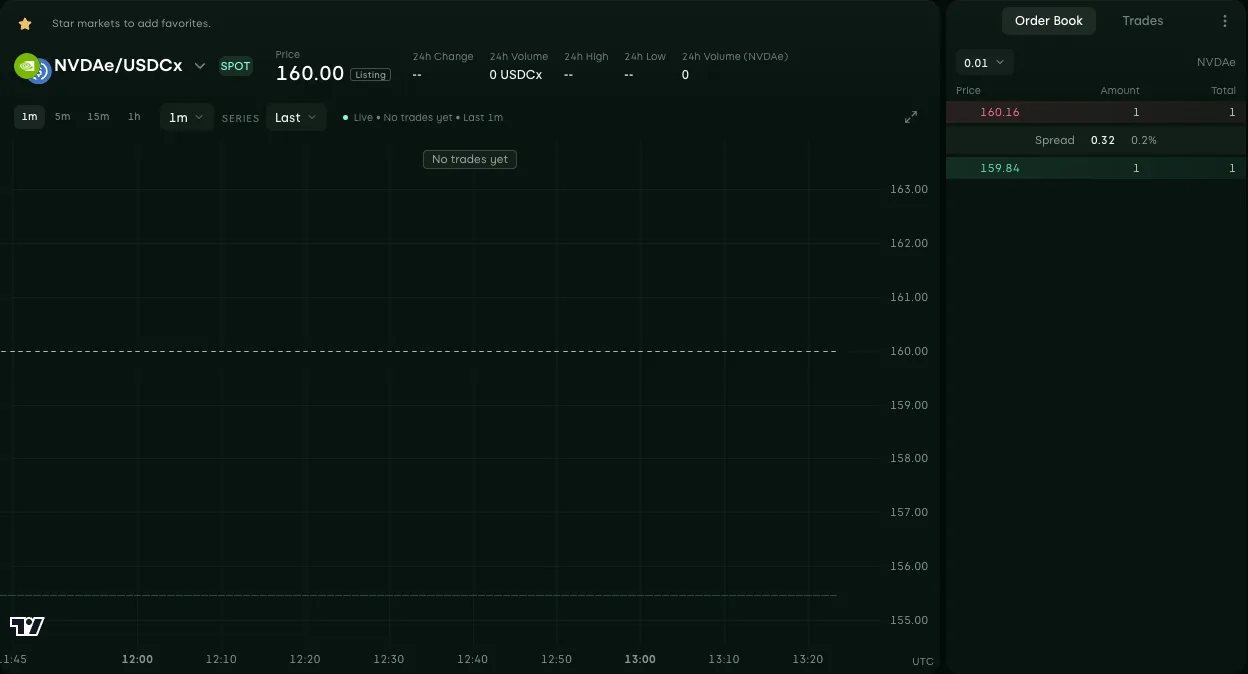
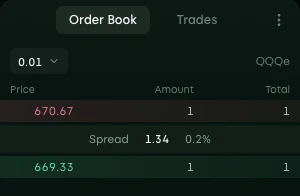
The photos on this page come from the internal test app, with no user signed in. The order books show test orders that Edel places for internal testing. No market has a trade yet.
What spot is
On a spot market, you buy or sell the token itself. When you buy NVDAe/USDCx, you pay USDCx and NVDAe goes into your Edel Markets account. When you sell, you give NVDAe and you get USDCx. Fees are paid in the quote asset, USDCx.
Spot has no leverage, no funding and no liquidation. A perpetual is different: it gives price exposure with margin, and you do not hold the asset.
The five markets
Each spot market trades one token against USDCx.
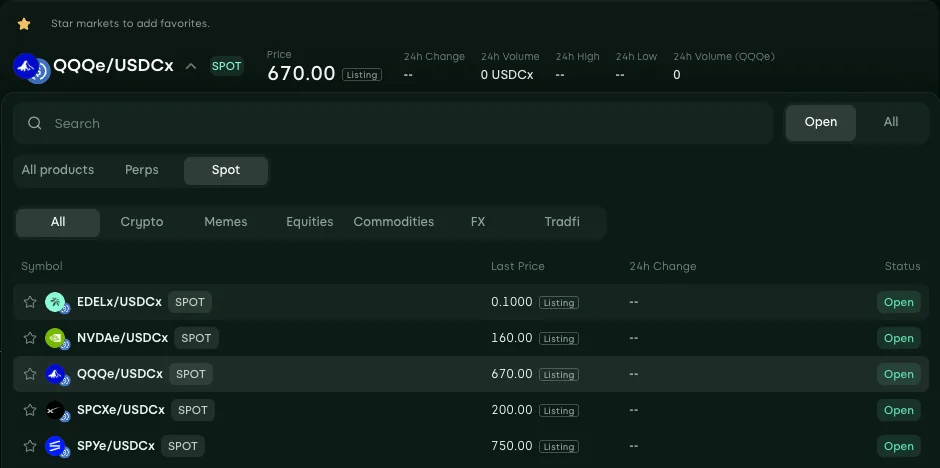
| Market | You buy or sell | Category |
|---|---|---|
| EDELx/USDCx | EDELx, the EDEL token on Canton | Crypto |
| NVDAe/USDCx | NVDAe, an Edel Stocks token | Equities |
| QQQe/USDCx | QQQe, an Edel Stocks token | Equities |
| SPCXe/USDCx | SPCXe, an Edel Stocks token | Equities |
| SPYe/USDCx | SPYe, an Edel Stocks token | Equities |


Categories
Each market has one category. The API has six categories: crypto, equities, commodities, FX, indices and memes. Today EDELx/USDCx is in crypto and the four Edel Stocks markets are in equities. The other categories have no spot market.
Order types
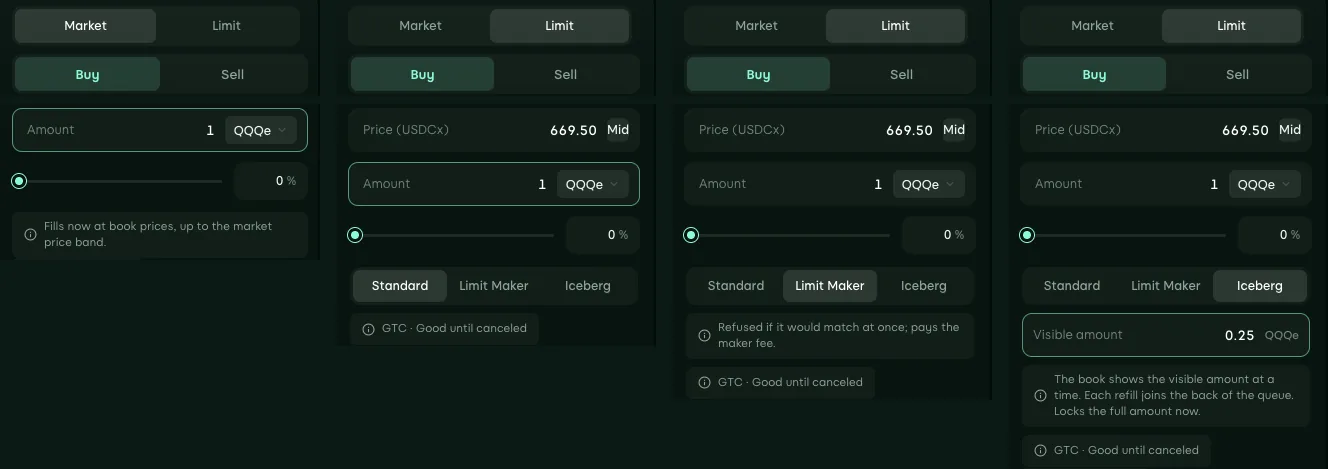
The order form has four order types. The API uses the same names.
| Order type | What it does |
|---|---|
| Market | Buys or sells now at the best prices in the book. It fills only inside the market's price band, and the part that cannot fill there is canceled. |
| Limit | Buys or sells at your price or better. The part that does not fill stays in the book until it fills or you cancel it. |
| Limit Maker | A limit order that must rest in the book first. If it would match at once, it is refused, so it always pays the maker fee. |
| Iceberg | A limit order that shows only part of its amount in the book. When that part fills, the next part shows at the back of the queue; the full amount is locked from the start. |
Before the first trade
A new market can be open before anyone trades on it. Then the price shows the listing price with the Listing mark. Edel sets the listing price for the market. It is for display only: it is not a trade price, and orders fill only against other orders in the book. Orders can rest in the book before the first trade.
The chart shows a flat line at the listing price, with volume zero and the mark No trades yet, from the time the market opened. After the first trade, the price and the chart follow the trades. A period with no trade shows a flat candle at the last trade price.
Safety rules
These rules apply to every spot order, from the app and from the API.
No self trade
Refused
Your account never trades with itself. If a new order would match your own resting order, the new order is refused whole and the resting order stays.
One order per request key
Once
Each order request carries a unique key. If the same request is sent again, for example after a lost connection, Edel returns the first result and makes no second order.
Market order price band
Per market
A market order fills only at prices inside the market's price band, and the part that cannot fill there is canceled. Edel sets the band for each market.
Funds locked by open orders
Locked
A buy order locks the USDCx it can spend and a sell order locks its tokens. They are free again when the order fills or is canceled.
Not available yet
These parts of spot are not available today:
- Spot on TestNet and MainNet. TestNet comes next, then MainNet. There is no date yet.
- Deposit of a spot token into an account.
- Withdrawal of a spot token from an account.
- Trade correction. Edel does not change or cancel a trade after it is done.
- There is no flow for a partner to list its own token.
For developers and market makers
The spot developer guide shows the API with its method names and examples. Its section For market makers lists the order types, the limits and the streams a market maker needs.